
Voice messages
Leave a teammate a voice message
Sometimes it’s quicker to say it than type it, and not worth a meeting. See who’s online on the hub, record up to a minute, and send.
 Watch the full 1-minute demo
Say it in a minute
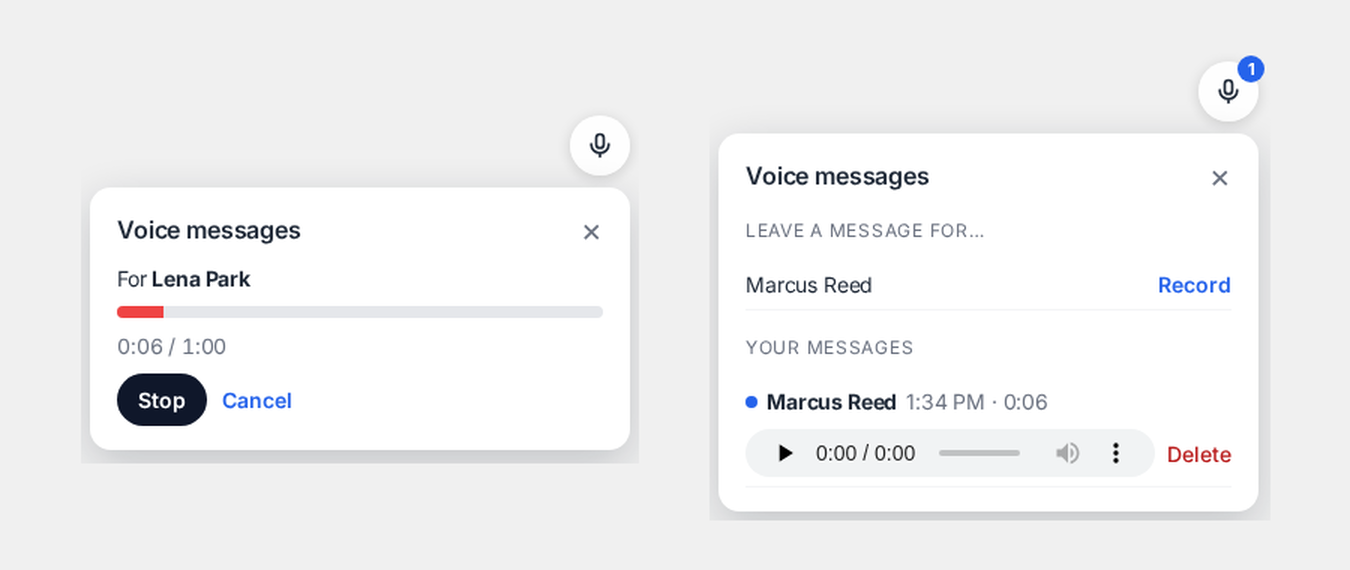
Right-click someone’s face on the hub and choose Leave a voice message, or open voice messages and pick anyone who’s online. Messages stop on their own at 60 seconds, so they stay short. Listen back before you send, or record again.
They hear about it straight away
If they’re on the hub, they get a notice the moment it arrives, and the voice messages button shows how many are new. Everything waits in their inbox until they’re ready to play it.
Private and in your control
- Only the person you sent it to (and you) can play a message.
- Messages only go to people on your own team.
- People delete messages from their inbox whenever they like.
- Voice messages are off until an admin turns them on in settings.
Frequently asked questions
-
How long can a voice message be?
Up to 60 seconds. Recording stops on its own at a minute, and HubThread checks the length when it’s sent.
-
Who can hear my voice message?
Only the person you sent it to, and you. Nobody else on your team, admins included, can play it.
-
Do I need to install anything?
No. Voice messages record in the browser; HubThread asks for your microphone the first time.
More in HubThread: Meeting recording, Icebreaker games, Office music & themes. Comparing tools? See Gather alternatives.